
YOUR AI ASSISTANT. CONNECTED TO WORDPRESS.
Update your WordPress website with AI. Keep the final say.
GES connects ChatGPT, Claude and compatible AI assistants to WordPress. Review proposed content changes, approve what should happen and check the saved result.
Free features need no GES account. Your assistant’s requirements and charges are separate.
BUILT FOR YOUR WORKFLOW
WordPress / ChatGPT / Claude / Compatible MCP agents
Example workflow
From request to verified update.
01 / Ask
Update the Contact page heading.
02 / Review
Contact page · Heading
Current
Get in touch
Proposed
Let’s talk about your project
You approve the exact change.
03 / Verify
Applied after approval · Saved result verified.
Verification checks saved WordPress data. Visual appearance may need a separate check.
LESS REPETITION. MORE PROGRESS.
You know what needs changing.
Now move it forward.
From the small edit you keep postponing to the next page you need to publish: give your assistant a supported task, then review the work.
01 / CONTENT
Update existing content
Refresh a headline. Correct a paragraph. With Pro, prepare and publish supported content changes.
“Update this service description.”
See the workflow
Preview the existing paragraph and its replacement. Approve the exact edit, then inspect the saved result.
Exact text edits: Free · Publishing and richer editing: Pro
02 / MEDIA
Improve image descriptions
Write clearer alt text and captions. With Pro, import and place images through supported workflows.
“Add descriptive alt text to this image.”
See the workflow
Review the proposed alt text. GES updates that field and checks the saved value.
Image metadata: Free · Import and placement: Pro
03 / SEO
Refine your SEO metadata.
Use Pro to update supported SEO titles, descriptions and internal links with an exact review first.
“Improve this page’s SEO description.”
See the workflow
Preview the new description while preserving unrelated metadata. Requires a supported SEO adapter.
Supported SEO writes: Pro
SEE GES IN ACTION
One request. A reviewed WordPress update.
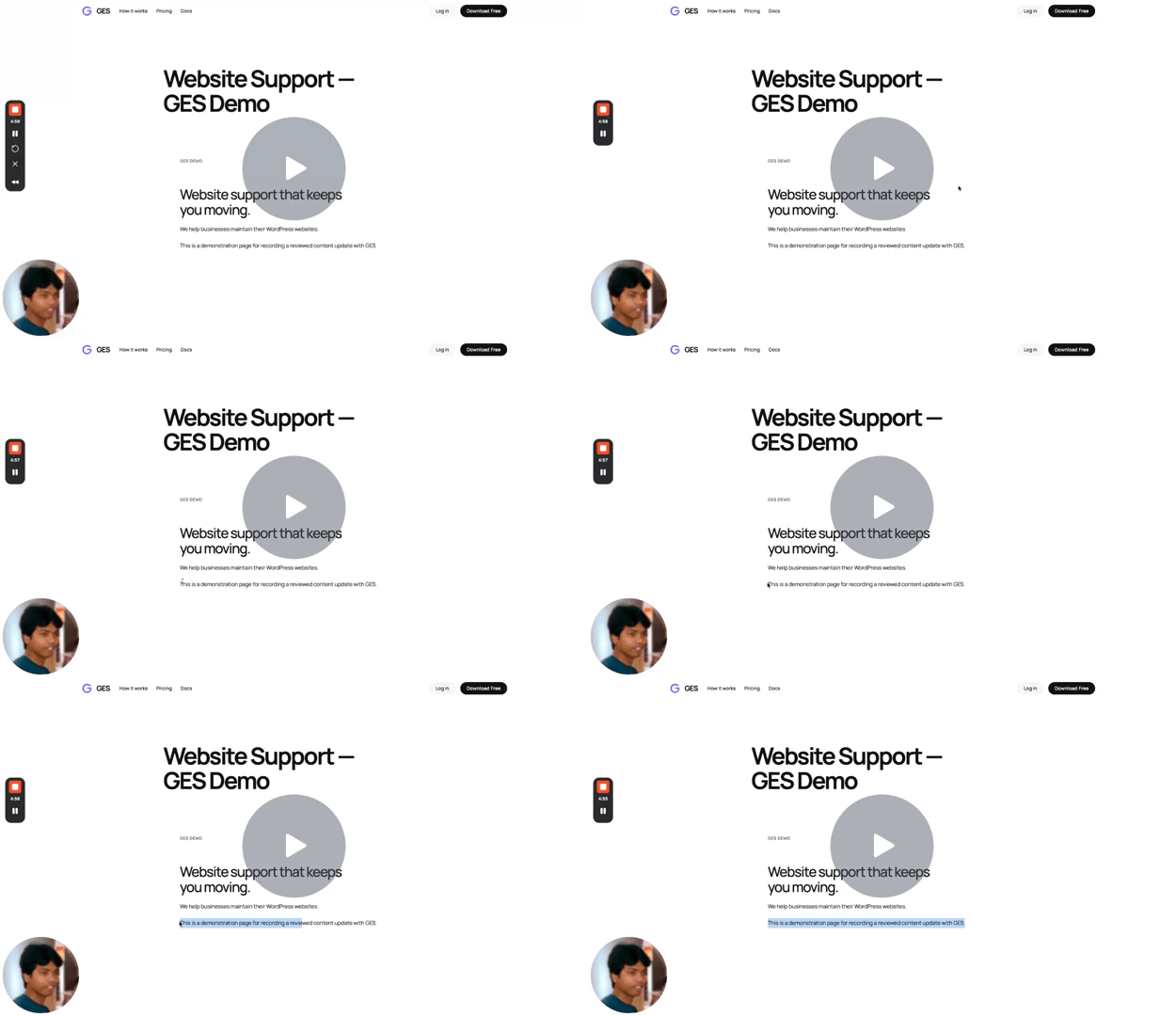
Watch GES turn a paragraph-edit request into a saved update—with an exact preview, your approval and a check of the final saved content.
GES demo: a reviewed WordPress paragraph update.
Website Support — GES Demo – GES – 28 October 2026 – Watch Video
- Request
- Review
- Approve
- Verify
Made with GES on this website • ChatGPT • Free Plan • 28 October 2026
Supporting example
Homepage CSS refinement View Job record
A scoped CSS rule made the dark demonstration’s review label easier to read. GES recorded the approved operation and verified the stored CSS after Apply.
Record checked on 26 October 2026. Verification scope: saved CSS. A Job record is not a guarantee that every operation can be reversed.
GES JOB RECORD
Verified
Homepage contrast refinement
Job#123 · Step 195
OperationCustom CSS / Save
ReviewApproved
ExecutionDone
Read-backVerified
A real GES operation on this staging website.
CONFIDENCE IS PART OF THE WORKFLOW.
Let AI do useful work.
Keep the final say.
Every remote change moves through permission checks, exact preview, human review, execution and verification.
Human review · Live state · Verified outcome
GES / Trust Gateway
● System ready
01
Ask
02
Permission
03
Preview
04
Review
05
Apply
06
Verify
07
Audit
PUT YOUR RECOMMENDATIONS TO WORK
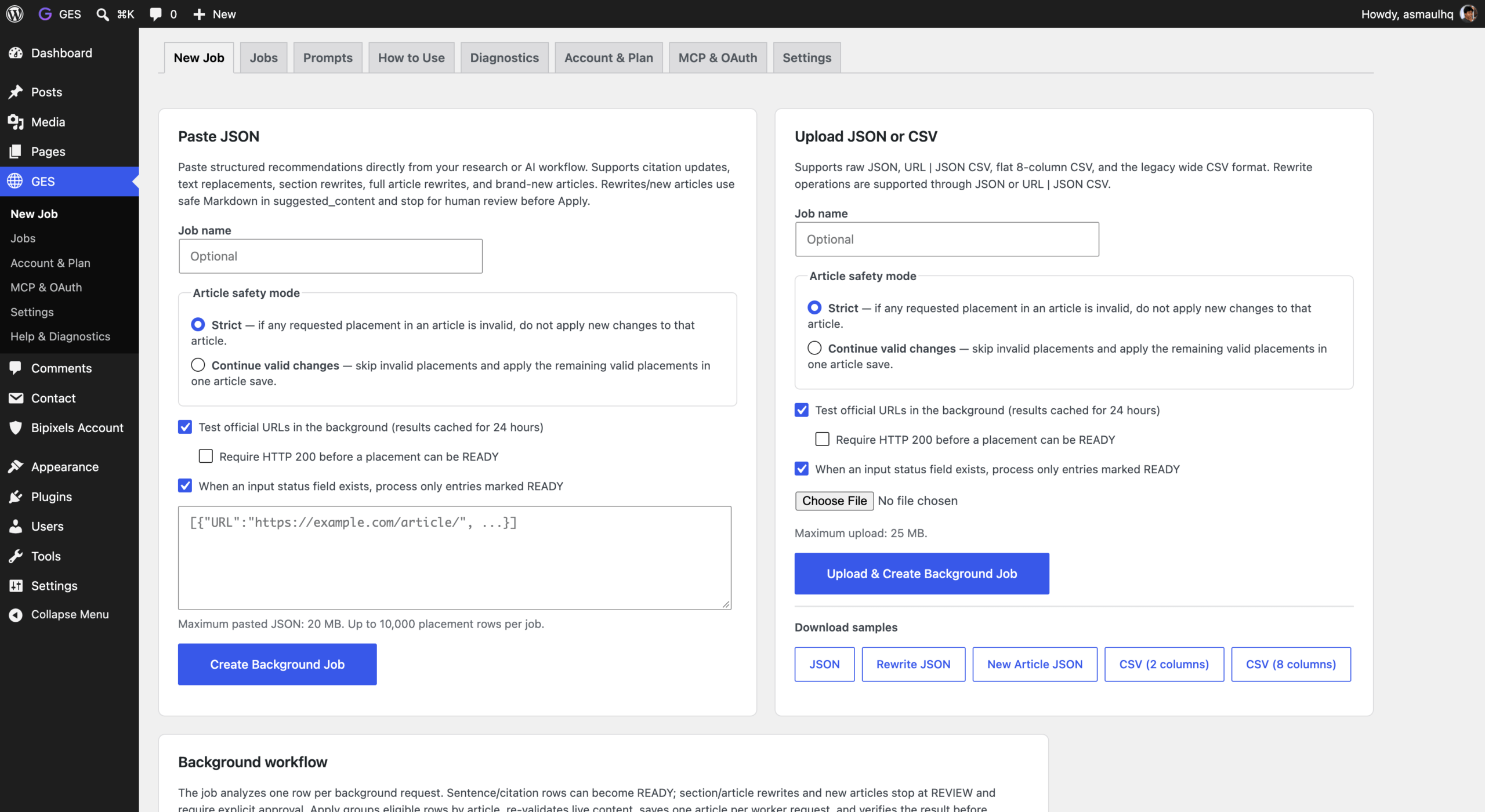
Turn audit recommendations into reviewed WordPress updates.
Prepare supported changes across multiple pages from a JSON or CSV file. Review the proposals, approve the updates and track the results through GES Jobs.
Useful for implementing recommendations from SEO, GEO and AEO audits.
Supported operations depend on the input format, plan and permissions.
COMPATIBILITY
Will GES work with your website?
GES works through supported WordPress operations. What you can do depends on your setup, plan and connection permissions.
AI assistants
Connect ChatGPT, Claude or a compatible MCP client. Follow your assistant’s setup guide for connection and account requirements.
WordPress setup
Install GES Free on your WordPress website. Editing support depends on how your content is stored and which editor or builder you use.
SEO integrations
Update supported Rank Math or Yoast SEO fields with Pro. Available actions depend on the active plugin and your permissions.
START SMALL. EXPAND WITH PURPOSE.
Free to begin.
Room to do more.
The review and verification workflow belongs in every plan.
FREE
Start making useful WordPress changes for free.
- Supported reads and audits
- Exact text, title and excerpt edits
- Image alt text, captions and metadata
- Reviewed Jobs and verification
PRO
FOR EVERYDAY SITE WORK
Do more of your everyday WordPress work.
- Everything in Free
- Supported content creation and publishing
- Richer content and layout editing
- Supported SEO writes and image placement
BUSINESS
Manage more websites with greater control.
- Everything in Pro
- Supported users and settings operations
- Privacy administration
- Supported plugin and theme operations
Paid plans require verified account access and GES Pro. Compare plans →
YOUR FIRST STEP IS SMALL.
Start with one website.
And one useful change.
You can explore GES Free before creating an account.
01
Install GES Free.
Activate the Free plugin on your WordPress website. No GES signup needed.
02
Connect your assistant.
Follow the MCP setup guide and choose your permissions.
03
Review your first Job.
Start with one text edit. Review, approve and inspect the result.
BUILT BY BIPIXELS
Built from years of maintaining real WordPress websites.
GES is built by Bipixels, a technical website partner for growing businesses and creative agencies. It brings our experience maintaining WordPress websites into a product for everyday website work.
Do I need to sign up to use Free?
No. Free features need neither a GES account nor a credit card. Connect an account for paid access.
Does GES include an AI assistant?
Bring a supported assistant, such as ChatGPT or Claude, and connect through MCP. Its account requirements and charges are separate.
Can AI change my website without review?
Remote changes through GES require reviewed Jobs, approval and the exact action confirmation. Your assistant may carry out steps you have explicitly authorized when the required gates permit them.
How do I upgrade to Pro or Business?
In GES, click Upgrade to Pro. Sign in, approve your website and choose a plan. After verified payment, download Pro from your account and install it alongside Free. Business includes Pro.
Will GES work with every plugin and builder?
Available operations depend on supported adapters, your installed theme and plugins, your plan and permissions. Unsupported requests stop.
Can every change be undone?
Recovery depends on the operation and recorded evidence. Some actions are irreversible. Inspect uncertain writes before retrying.
FROM “I SHOULD UPDATE THAT” TO A REVIEWED CHANGE.
Your next website update
can start with a conversation.
Give your AI assistant a useful job. Keep control of what happens next.
Free features. No signup. A clear path to doing more.